
Attributes and enumerations
An attribute records a property. Its type determines the kinds of values it can hold. An enumeration defines named choices that can be used as attribute values.
Add an attribute
- Select the element that should own the attribute.
- Expand Attributes and choose Create attribute.
- Enter a name for the property.
- Use Choose type to select a compatible type.
- Use Set initial value if a starting value is needed, then finish creation.
Check: the selected owner’s Attributes section lists the new property and its type. If Create attribute is absent, check the selected element kind and editability.
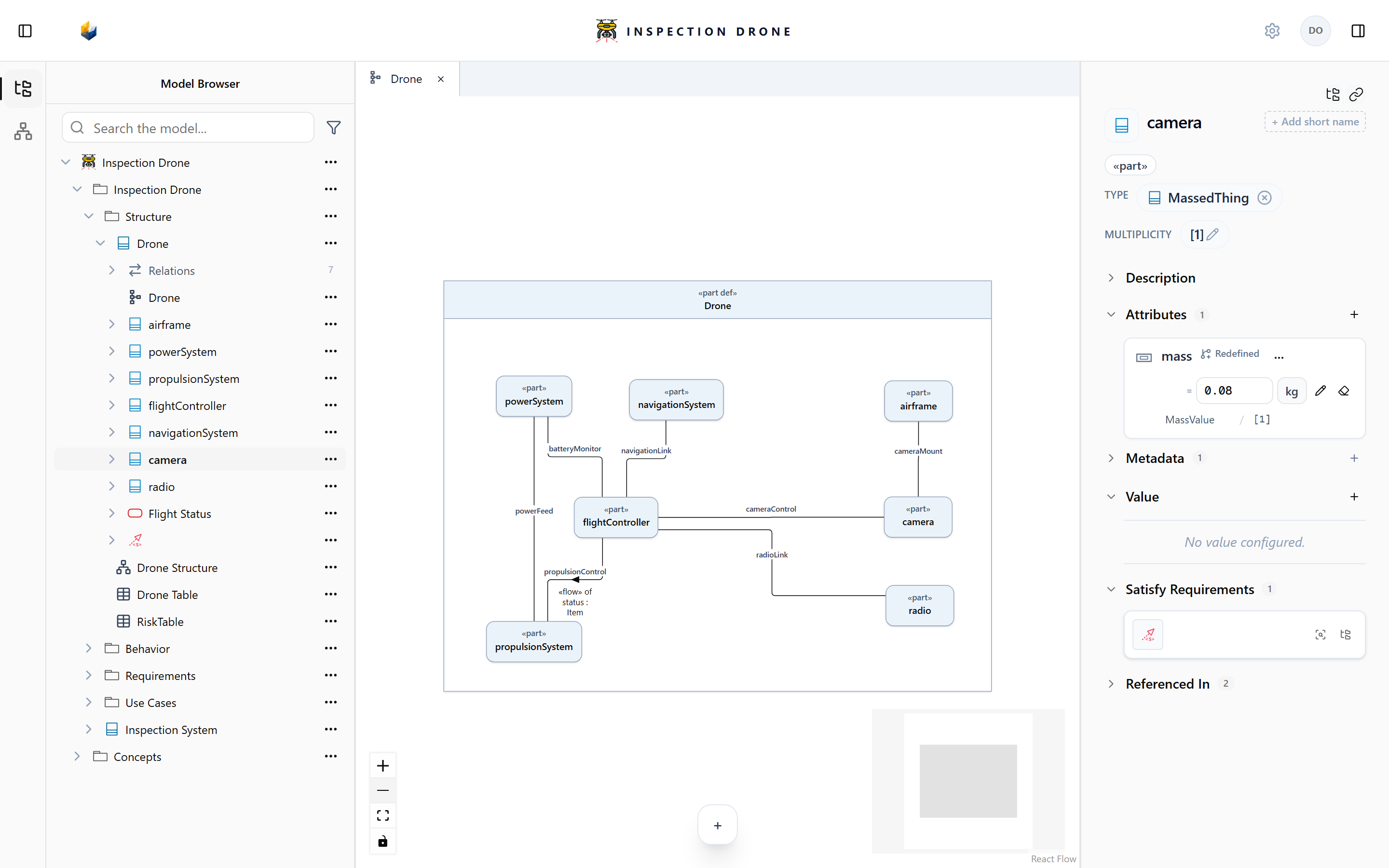
Use a scalar type for properties such as a number, text, or Boolean. Use an appropriate quantity type when the property needs units. A property named mass, for example, still needs a quantity type such as MassValue; its name alone does not establish a unit system.
Edit values and units
Select the owning element and expand Attributes. Use the property’s numeric input, unit selector, or Edit value control as offered. For inherited properties, use a local redefinition when the selected element needs its own value.
Check: selecting the same element again shows the saved value. Editing a unit does not automatically convert its numeric magnitude.
Follow Table attributes and units to display and edit the same property across several elements.
Multiplicity is separate from an attribute value: it describes the number of instances represented by a feature.
Define named choices
- In a package, choose Create Element → enumeration def.
- Enter a name describing the set of choices.
- Add enumeration literals beneath that definition, naming each permitted choice.
- Select the element that needs the property and create an attribute.
- Use Choose type to assign your enumeration definition.
- In the initial-value picker, choose a compatible literal and confirm.
Check: the attribute uses your enumeration type and shows the selected literal.
If a literal is missing, check which enumeration owns it and whether the attribute uses that definition. An enumeration supplies named choices; use States when describing operating situations and transitions.

