
Use cases
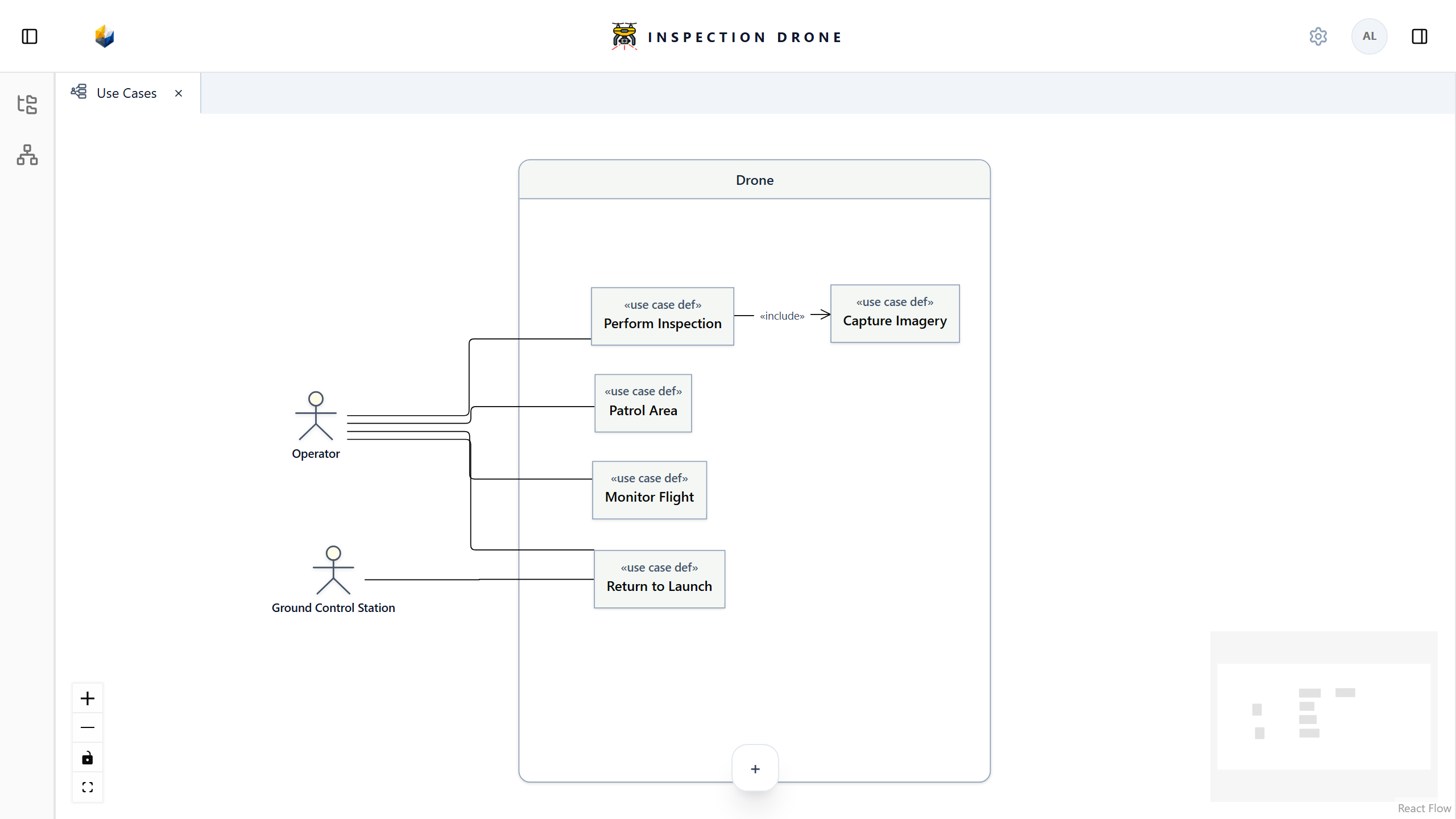
A use case describes a goal involving a system. A use case view presents that system’s boundary, the participating actors, and relationships between goals.
What you need
Use an editable model, a definition for the system being considered, and the UseCaseView view definition. Create the elements below if your model does not yet contain them.
Create the elements and view
- Choose a package to organize the use cases, or create one using Create Element → package.
- Create a use case def for each goal you want to describe. Give each a name expressing that goal.
- Create part def elements for the participants you want to present as actors.
- Open the package’s actions menu, choose Create View → UseCaseView, and name the view.
- Open the view and use its system picker to select your system definition.
- Add the existing use cases and actors using the view’s element tools.
Check: the boundary identifies your selected system, the use cases appear inside it, and actors appear outside it.
If UseCaseView is missing, check the package owner and view availability. If a system or actor is missing from a picker, check its element kind and the model content available to the view.
Describe participation and inclusion
Use Participation to connect an actor to a use case. Check the resulting relationship and the use case’s actor information in the inspector.
Use include from the including use case to the use case it includes. Inspect the relationship to confirm the direction and endpoints.
Check: the model records the intended participation or inclusion. An include relationship does not specify the complete sequence of work; use Actions to describe that sequence.
See Requirements for desired outcomes and satisfaction relationships.
